Screen time for Android
Your screen time, measured honestly.
“4h 27m” is easy to ignore. Screen Truth turns your screen time into insights you actually feel, so you can decide for yourself what to change. And it keeps every number on your phone.
- On-device
- No internet
- No account

Not just analytics
Minutes become moments.
Most screen-time apps give you a number. Screen Truth tells you what it means: the share of your day an app took, how many full days a year a habit adds up to, how often you reach for your phone while you’re awake.
A typical screen-time app
Instagram: 2.5 hours
Screen Truth
You spent 2.5 hours on Instagram today. That’s 10% of your day.
Features
Today
Your day at a glance.
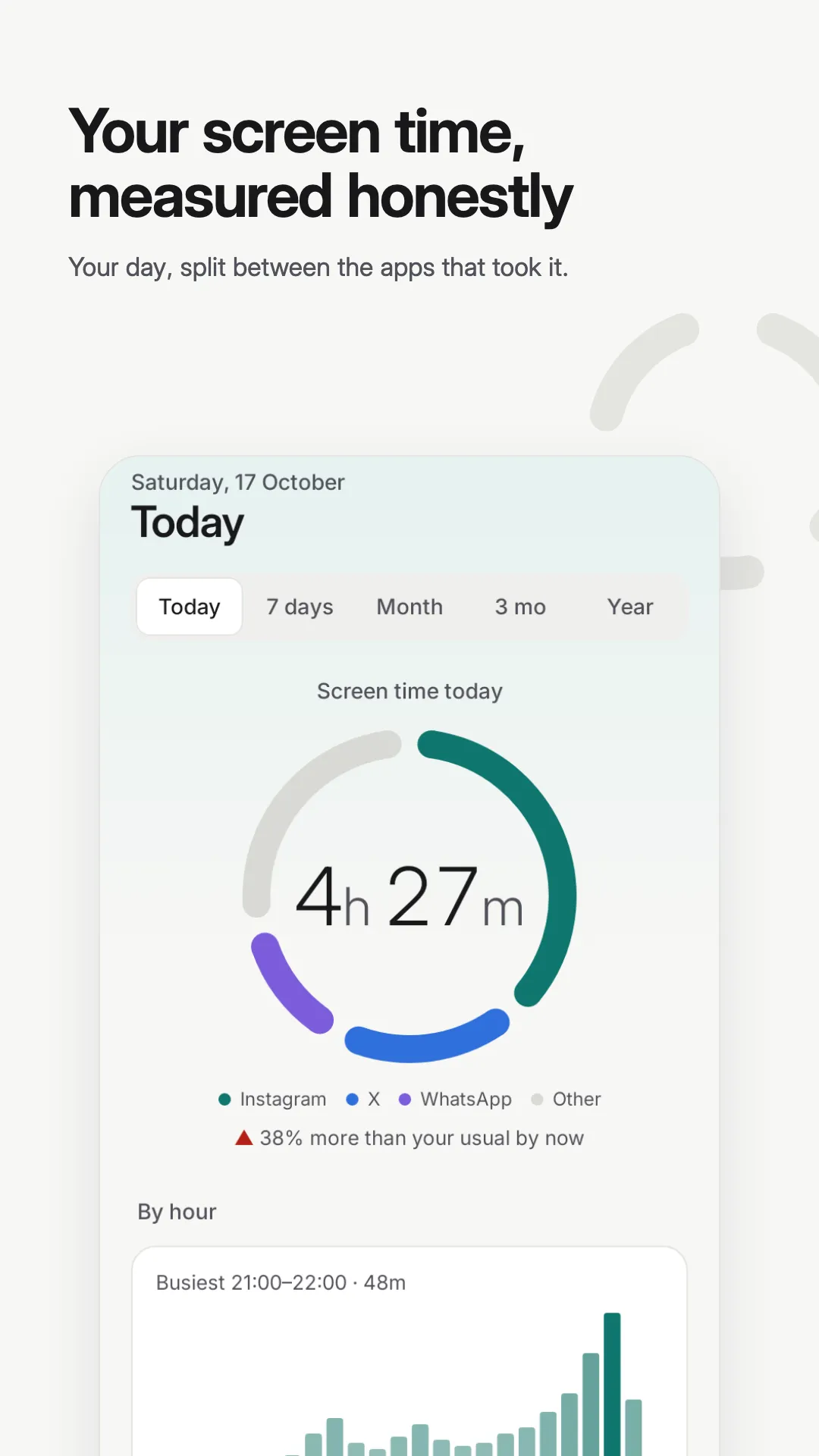
Your total in a ring split between your top apps, and whether you’re ahead of your usual pace. Today is compared with your own last 7 days at the same time of day, so “+38% vs usual” is a fair comparison.
- Screen time by hour, with your busiest hour highlighted
- Your top apps, and how you’re doing against your limits
- The three insights that matter most right now
- Today
- 7 days
- Month
- 3 mo
- Year
Focus
Attention, not just minutes.
Two hours in one sitting isn’t the same as two hours in eighty pieces. The focus score, from 0 to 100, measures how fragmented your day was, and shows what’s driving it.
- Pickups
- How often you reach for your phone per active hour.
- Longest stretch
- Your longest unbroken session, and in which app.
- Doomscrolls
- Sessions of 20 minutes or more in a single app.
- Late nights
- Use between midnight and 5 am, and your “reflex app”: the one you open first.

Insights
Insights you feel, not just read.
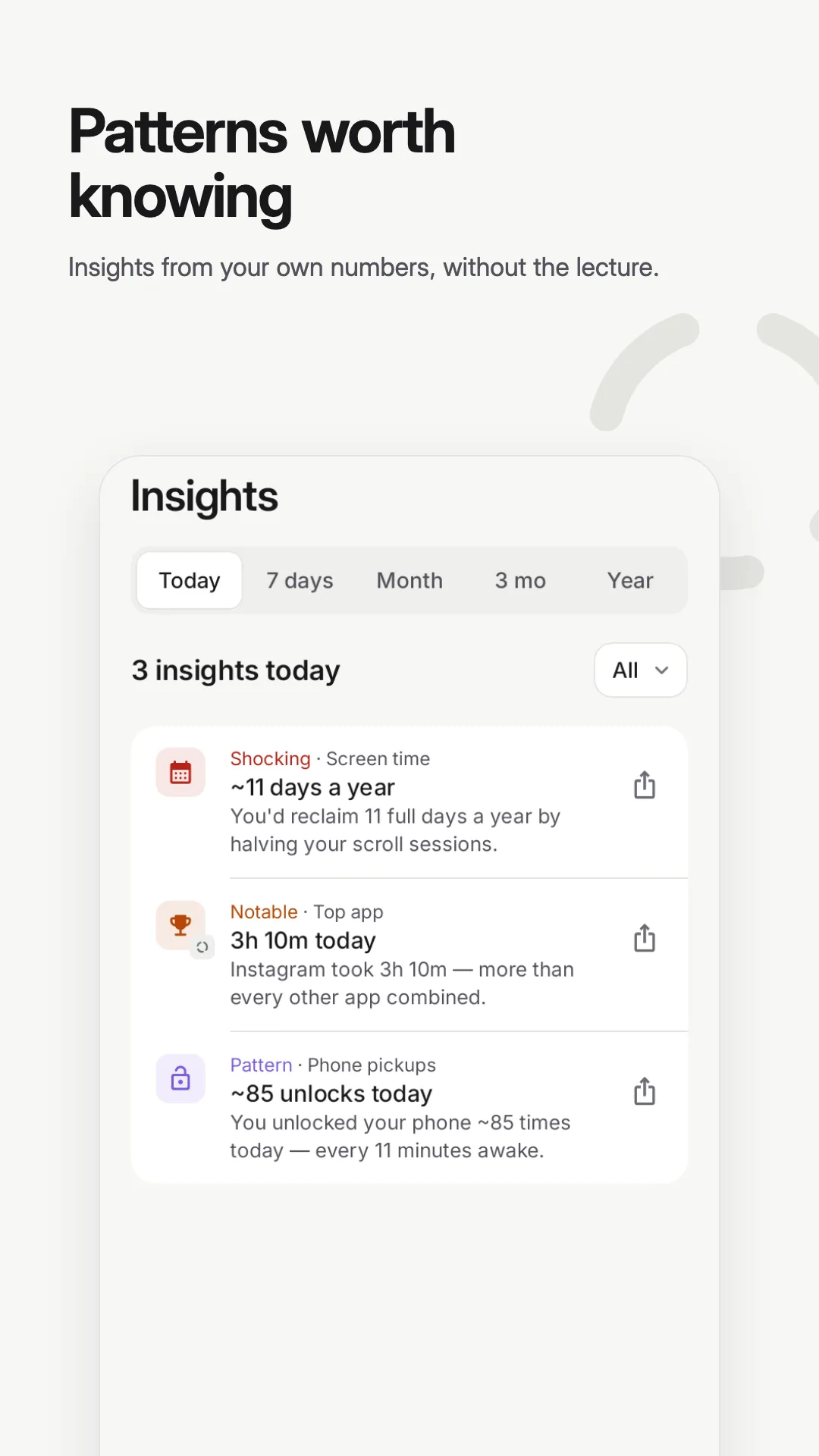
Every insight for the range, sorted by how much it matters: notable, shocking, or a pattern worth knowing about. Open any one and share it.
- Shocking48m after 22:00Most of it on Instagram. Late scrolling pushes sleep back.
- Notable~67 days a yearThat’s how long you’d spend on your phone in a year at today’s pace.
- Pattern~85 unlocks todayEvery 11 minutes you were awake.

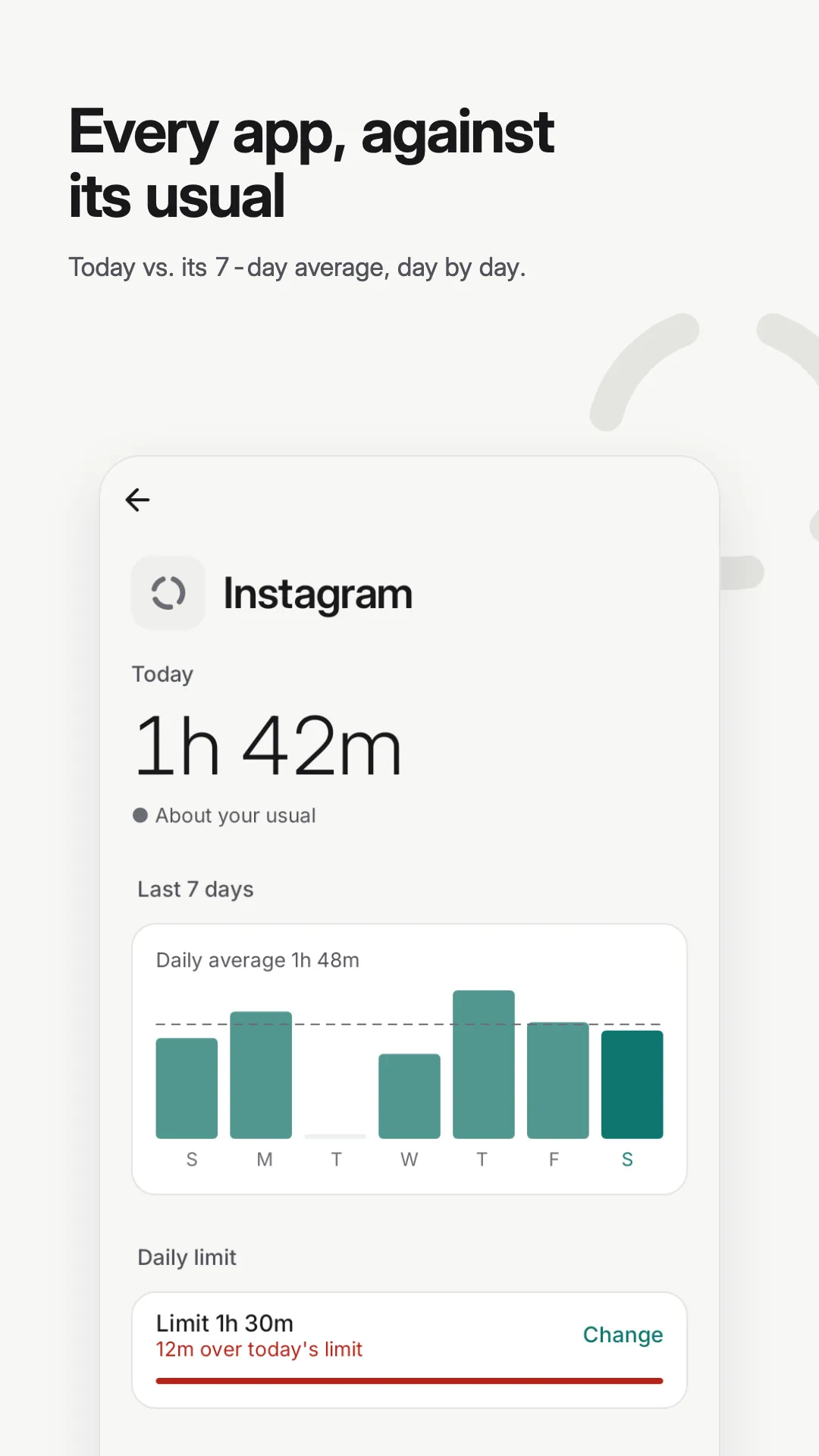
Every app, against your usual
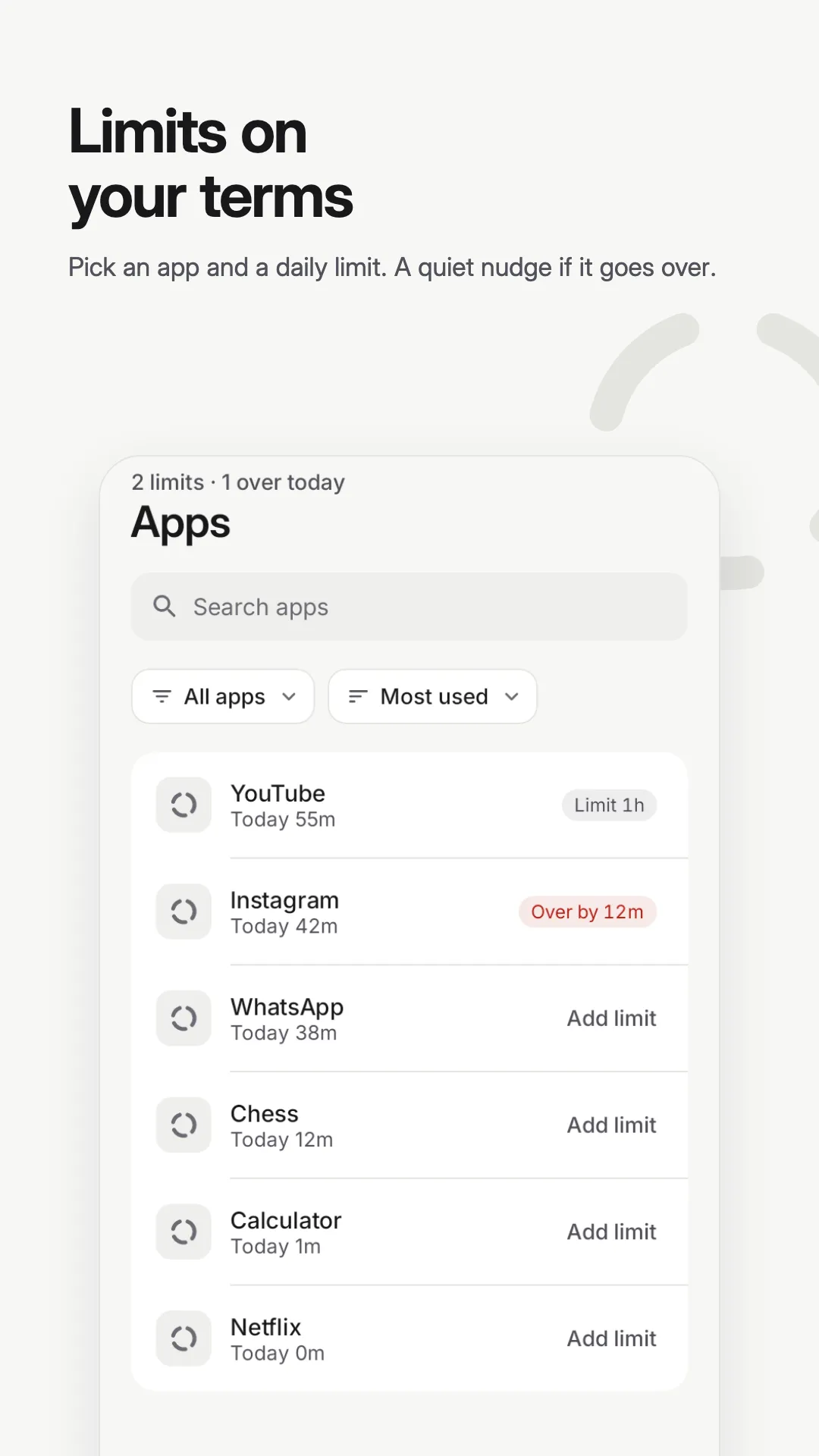
Limits on your terms.
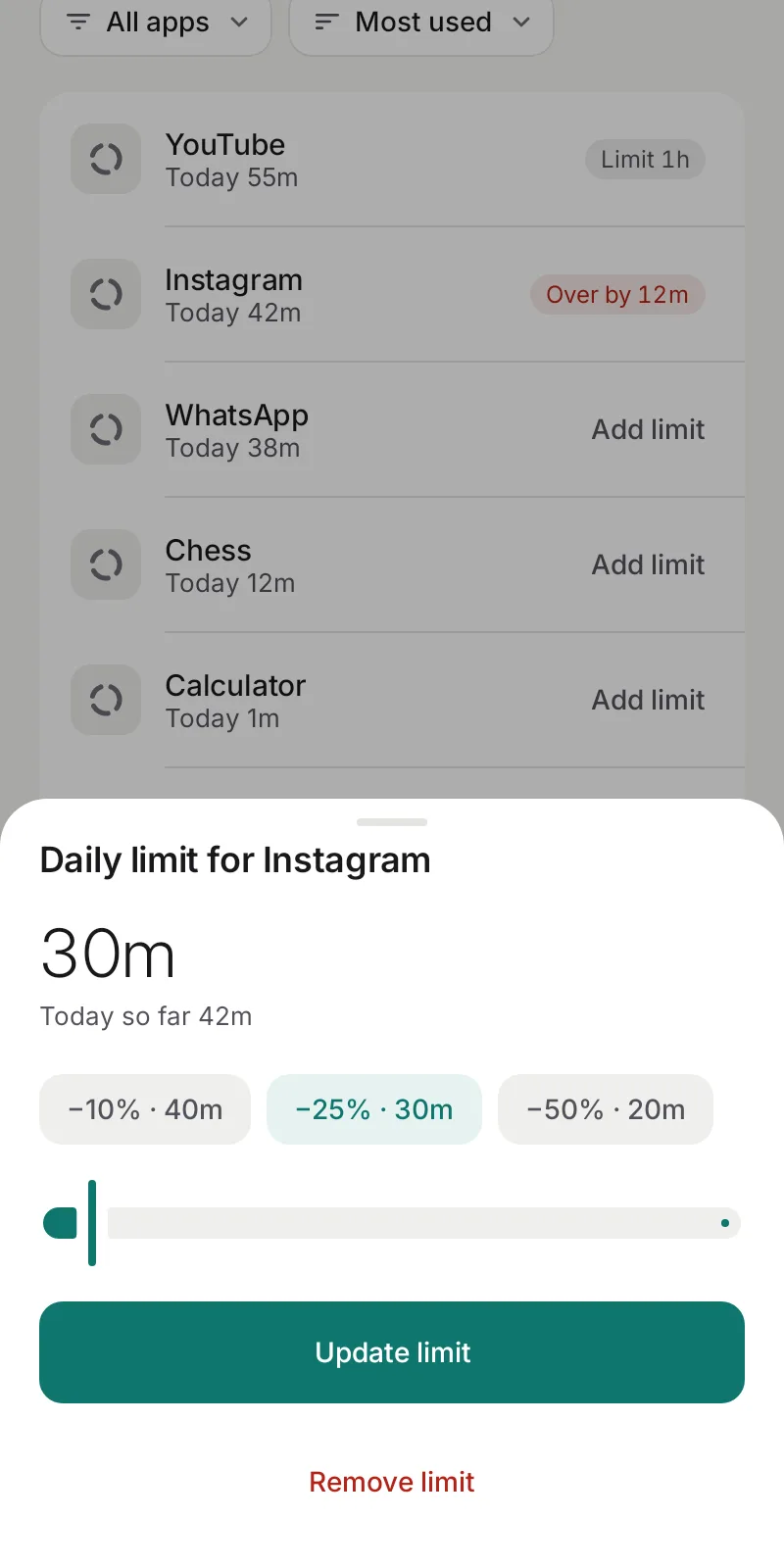
Tap any app to see today next to its 7-day average, day by day. Set a daily limit right there and Screen Truth suggests a starting point a little below your average, with quick presets to cut 10%, 25% or 50%. You decide what’s “too much”.
- Every app on your phone in one list: search, sort, filter to the ones over their limit
- Limits show on Today and in Apps, so you always know where you stand

Share
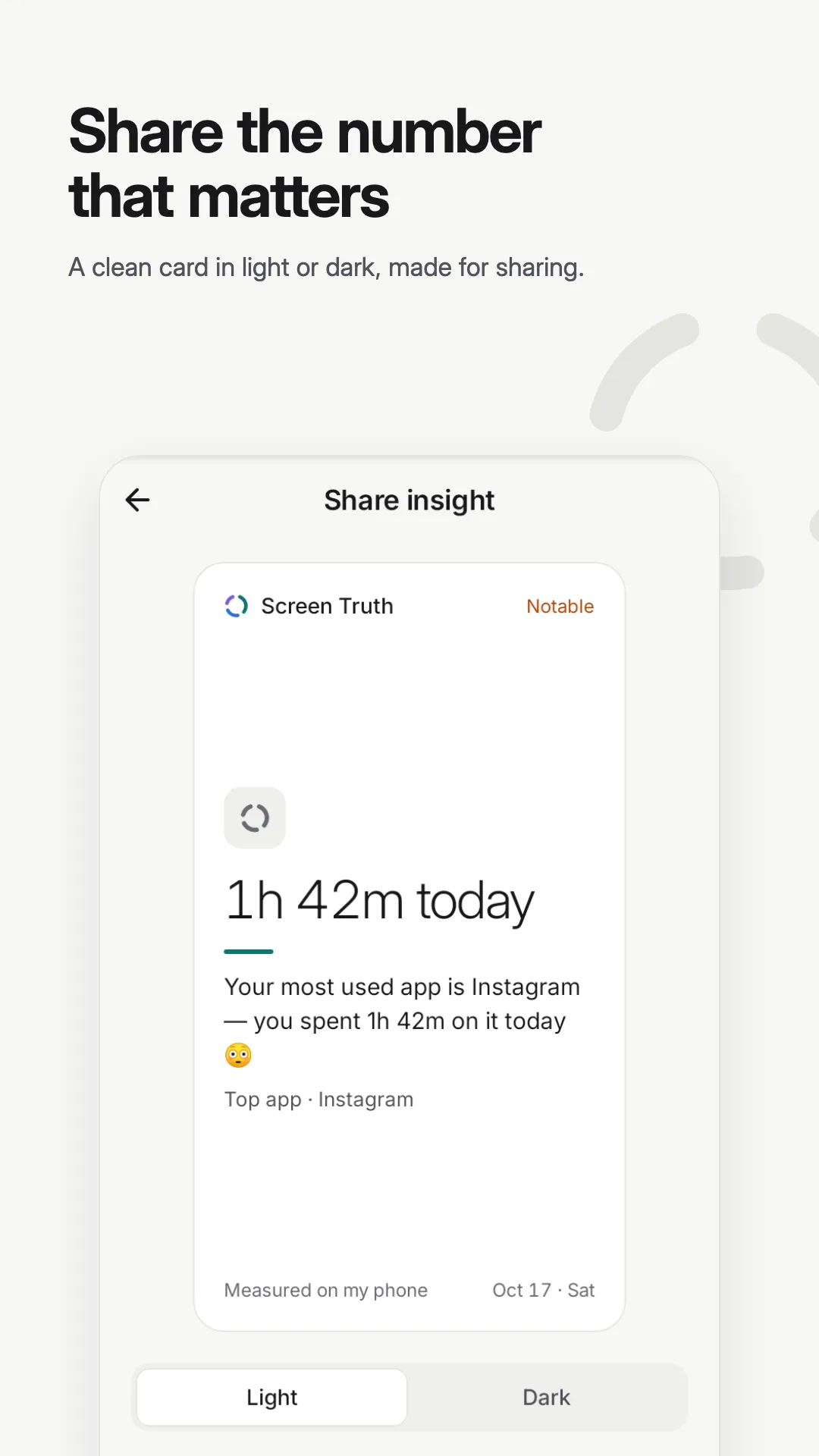
Share the number that matters.
Turn any insight into a clean card, light or dark, sized for stories (9:16), posts (1:1) or a 4:5 card. Share it, save it to your gallery, or copy the text.

Notifications
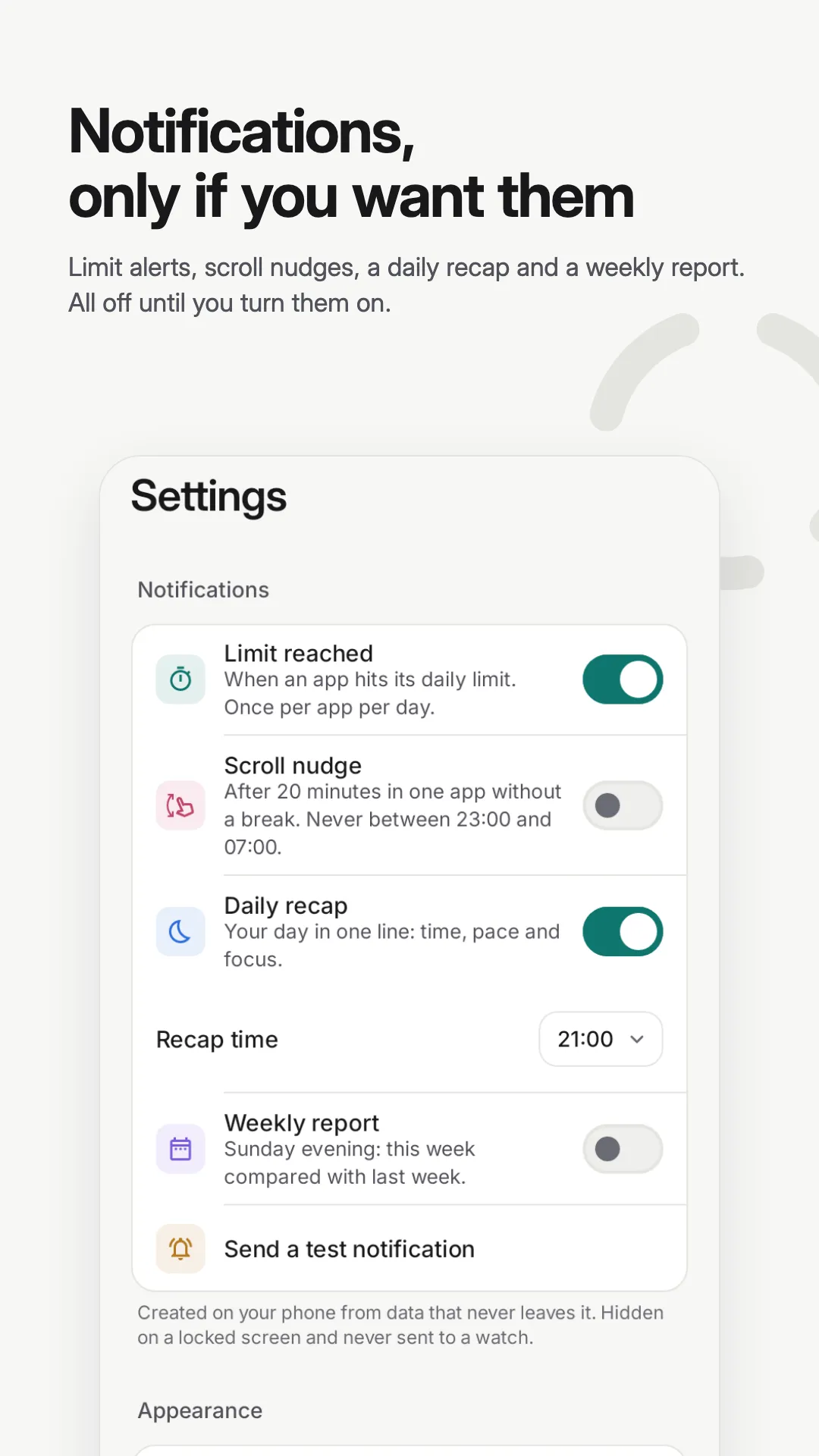
Gentle, and off until you turn them on.
Created on your phone, hidden on a secured lock screen, and never sent to your watch.
- Limit reached Once per app per day, when an app hits the limit you set.
- Scroll nudge After 20 minutes in one app. Never between 23:00 and 07:00.
- Daily recap Your day in one line, at the time you choose.
- Weekly report This week compared with last.
Private by design
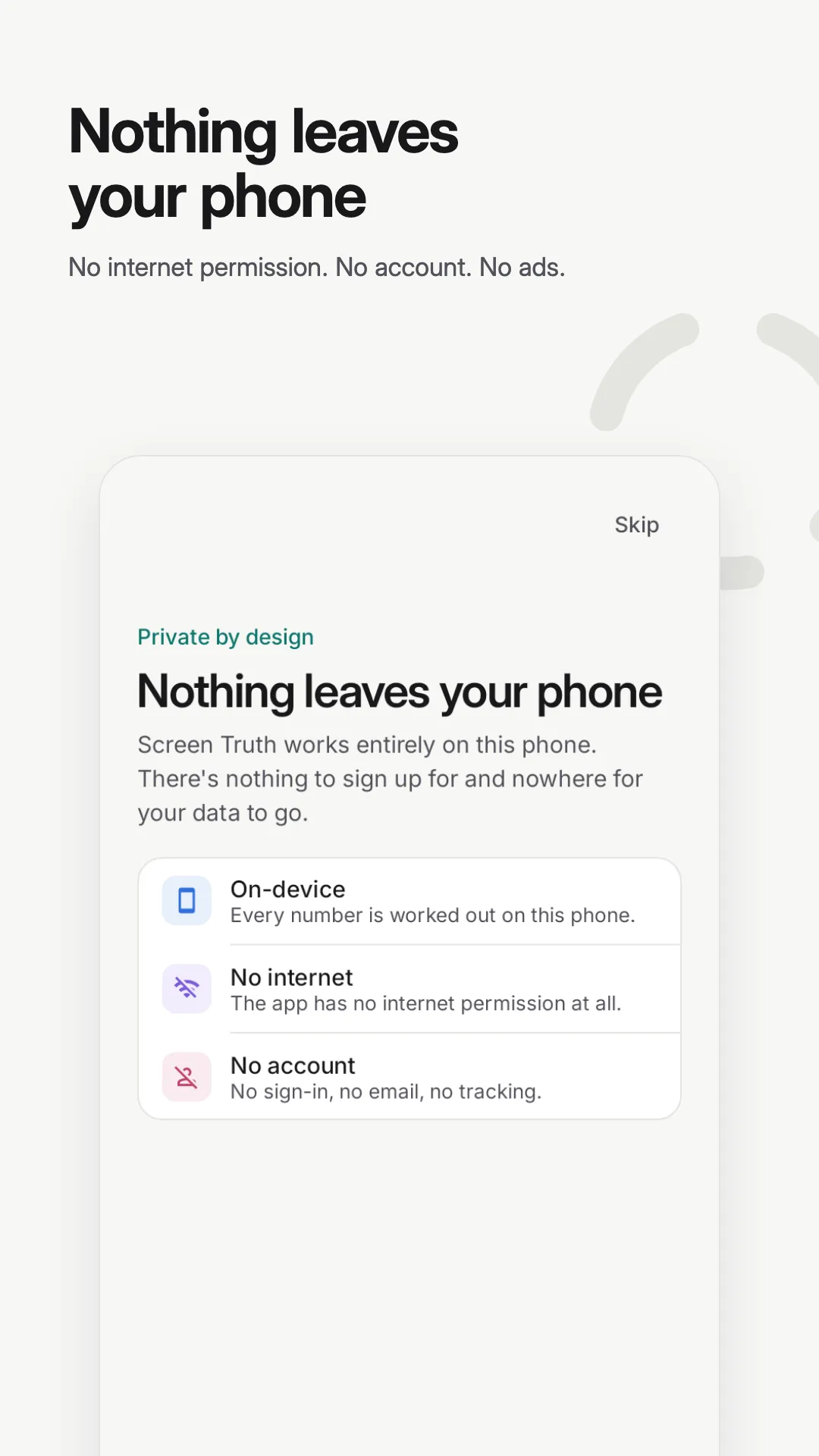
Nothing leaves your phone.
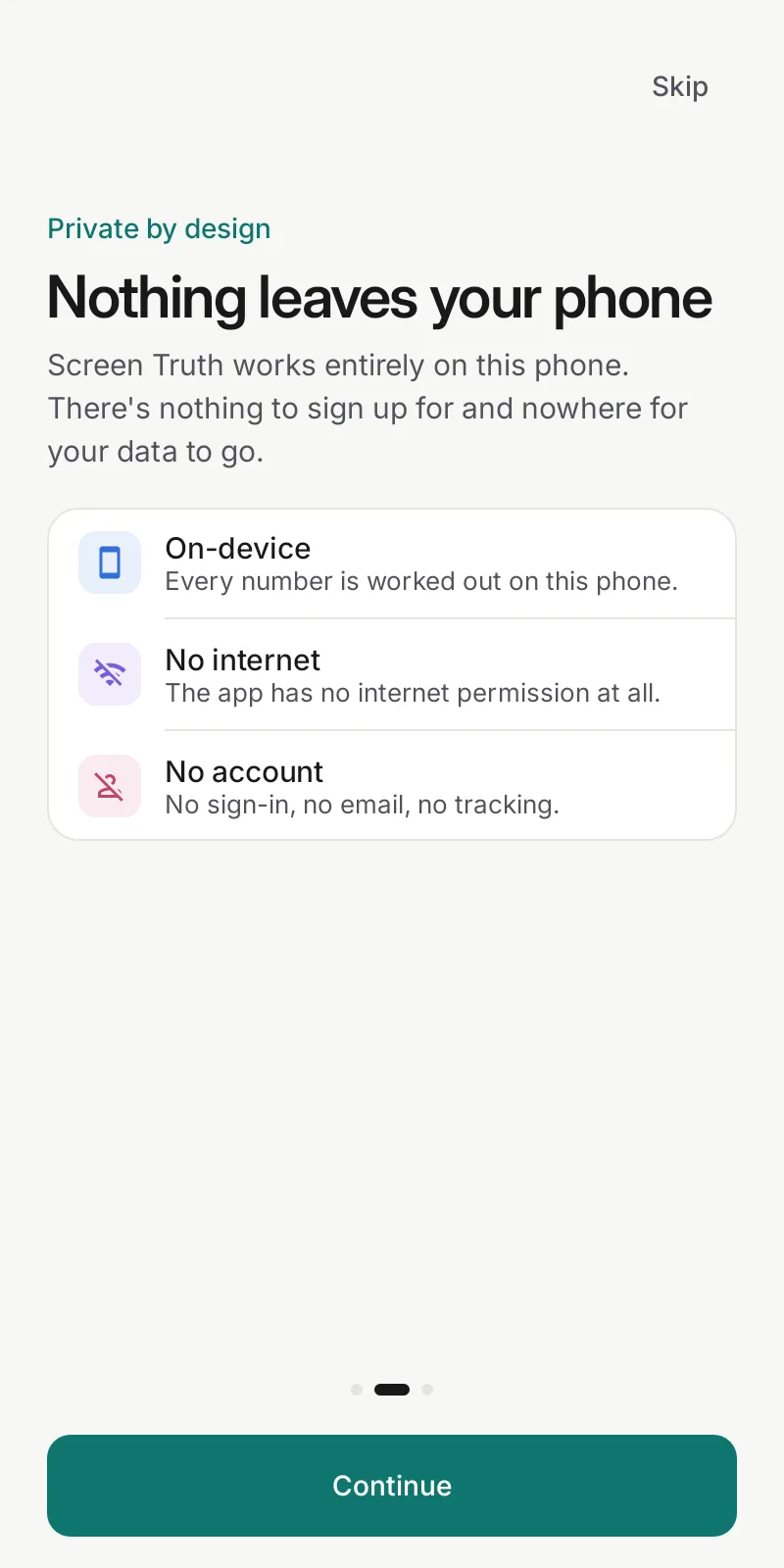
Screen Truth works entirely on your phone. There’s nothing to sign up for and nowhere for your data to go: the app doesn’t even have permission to use the internet.
- No internet permission
- No account, no sign-in
- No ads, analytics or trackers
- History kept only on your phone, excluded from cloud backups
Honest numbers.
Timed only while on screen. Screen time is worked out from Android’s raw usage events, per activity, so in-app navigation, screen-off and midnight are handled correctly.
Precise beyond a week. Android discards its event log after about 7 days, so daily history is kept on your phone and month and year views stay accurate.
Upfront about estimates. When part of a long range has to be estimated from Android’s daily totals, the app tells you.
Screenshots
A closer look.
FAQ
Questions, answered.
Does Screen Truth block apps?
No. It doesn’t block, lock or lecture. It shows you an honest picture of how you use your phone, lets you set limits you choose, and leaves the decisions to you.
Why does it need Usage access?
Usage access is how Android lets an app read its own screen-time records: which apps were on screen, when, and when the phone was unlocked. You grant it in Android Settings, and the app explains why first.
Is my data uploaded anywhere?
No. Screen Truth doesn’t have the internet permission, so it can’t send anything anywhere. Your history stays on your phone, is excluded from cloud backups, and is deleted when you uninstall the app. Information only leaves when you choose to share an insight card.
How is the focus score worked out?
It runs from 0 to 100 and measures how fragmented your attention was rather than how many minutes you spent: unlocks per hour, quick checks, long scrolls and late nights all pull it down. The app shows you what’s driving it.
Why are my numbers different from other screen-time apps?
Screen Truth works from Android’s raw usage events, per activity, so an app is only timed while it’s actually on screen, and screen-off, in-app navigation and midnight are handled correctly. When part of a long range has to be estimated from Android’s daily totals, it tells you.
Which phones does it work on?
Android phones running Android 8.0 or newer. It isn’t available for iPhone.

See the truth about your screen time.
Screen Truth is in beta for Android 8.0 and newer. Private, and it stays that way.
Email for early access